Field notes · Toronto · 1 min read

Track your crew on race day: how it works
Race week on AthleteField for Hyrox Toronto in five steps: add your people or make a crew, wave times fill in when HYROX publishes them, and on race day see which station each friend is likely on. Free for athletes and spectators.
Edited by Laura Rossi
Hyrox athlete, Toronto · Sep 27, 2026
Race week
Track your crew on race day.
Add your people. See their day.
Every friend's race. One view. Two minutes to set up.
1. Add your people
Open Race week, type a name, tap to add. Not on AthleteField yet? The same box gives you an invite link.
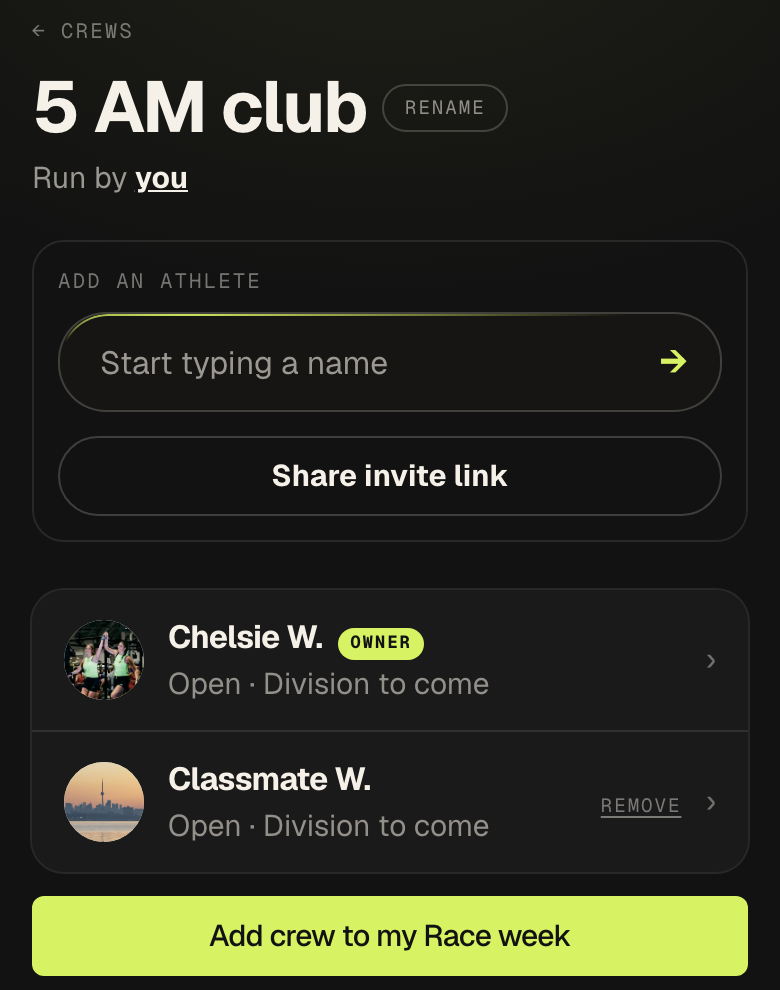
2. Or make a crew
Your gym, your class, your run club. Share the invite link in the group chat and everyone who joins is on each other's Race week.
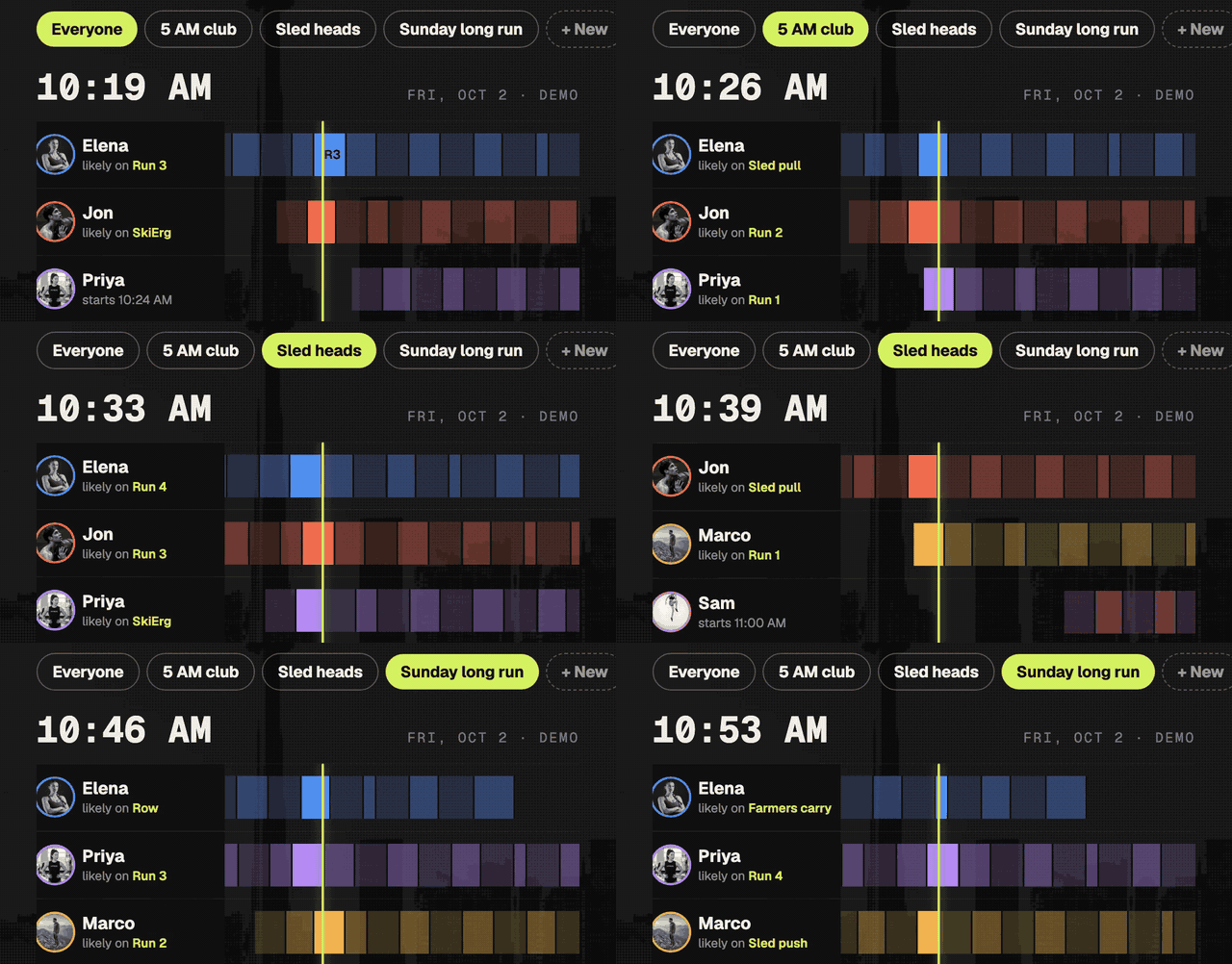
3. Flip between crews
Crews sit at the top of Race week. Tap one to see just those people.
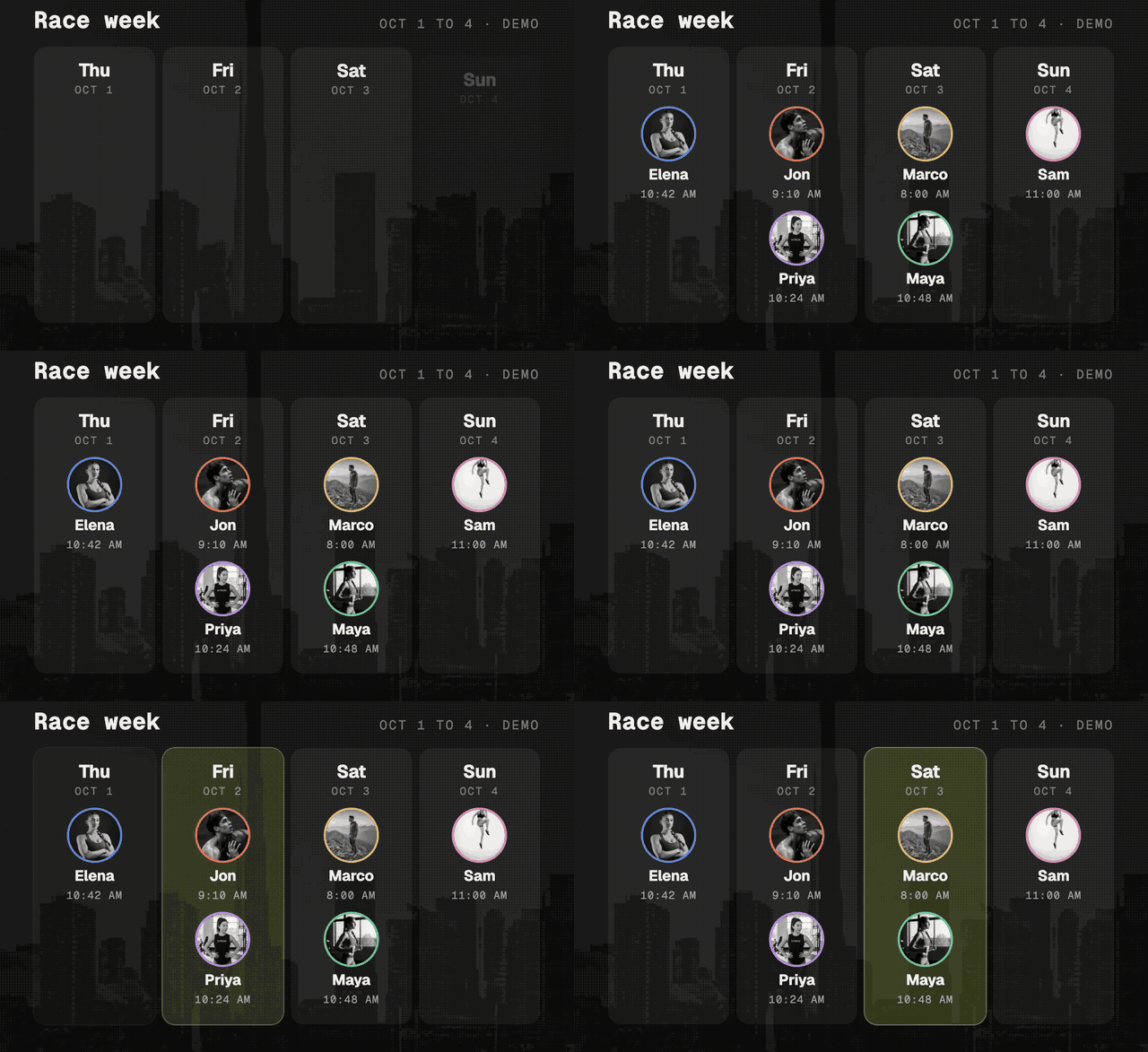
4. Check back when waves drop
They aren't out yet. When HYROX publishes the start list, every start fills in and you get one email.
5. Follow along on race day
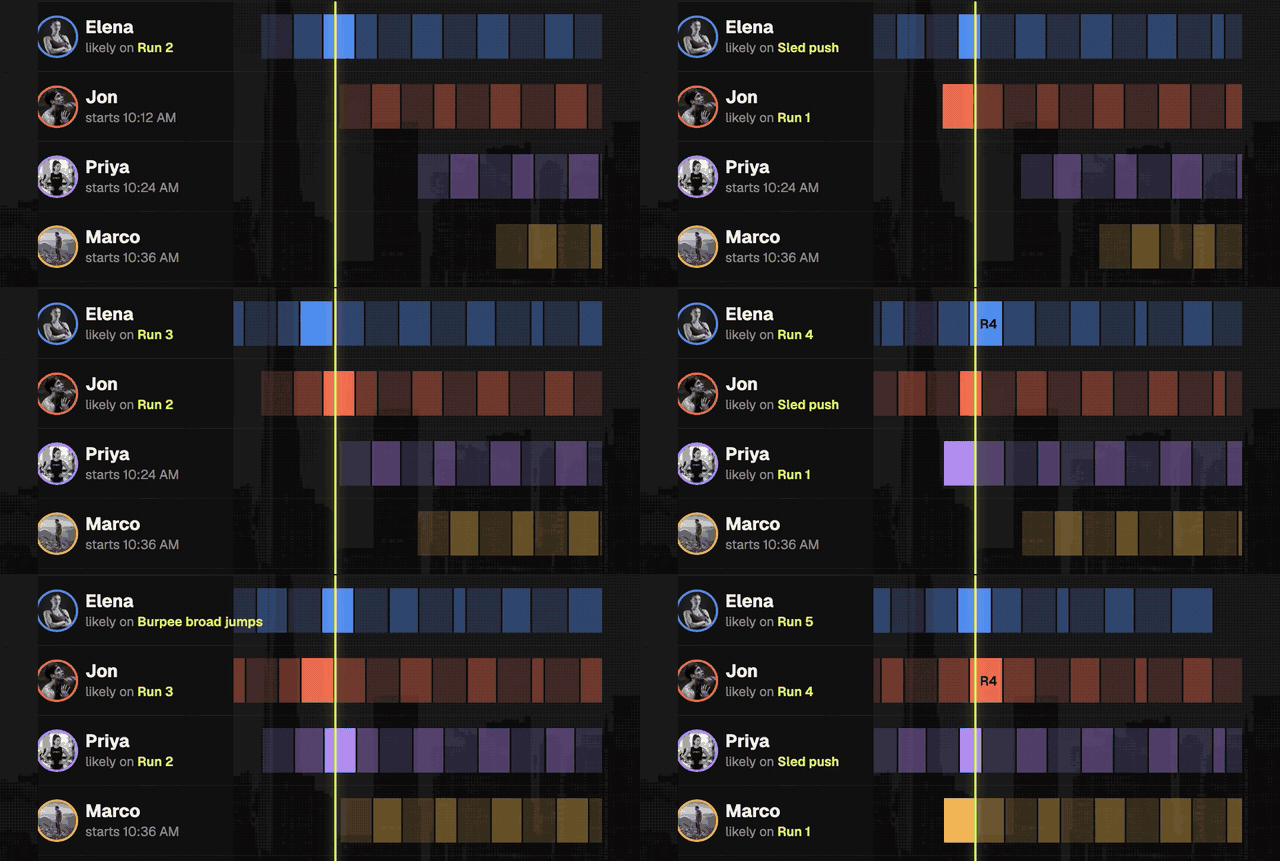
Each friend's likely station, estimated from typical splits for their division. Not live timing, but enough to be at the wall balls in time. Racing? Tap Share on your own row so your people can follow you.
Coming to cheer?
Same view, spectator account. See who races when across all four days, and where to stand.
Everything else for the week is in the Toronto race week kit.
Coming to cheer?
Follow your people.
Spectator account, same view.
Quick answers
- Do I need an account to track my friends at Hyrox Toronto?
- Yes, a free one. Athletes sign up with a profile; spectators sign up with an email and no profile. Both get the same Race week view.
- Is the tracking live?
- No. Once HYROX publishes the start list, each person's wave time fills in, and on race day the view estimates which station they're likely on from typical splits.
- How do I add my whole gym?
- Make a crew, share its invite link in the gym chat, and everyone who joins lands on each other's Race week automatically.
- Can spectators use it?
- Yes. Sign up as a spectator, add who you're there for, and see who races when across all four days.
More field notes

Toronto
Hyrox gyms in Toronto: the full map
Training
The eight Hyrox archetypes

Training
The nine places Hyrox doubles pairs win or lose time

Toronto
Hyrox Toronto 2026 race week: everything you need to know

Toronto
When do I race at Hyrox Toronto? Start times by division

Toronto
Hyrox Toronto from out of town: where to stay, how to move